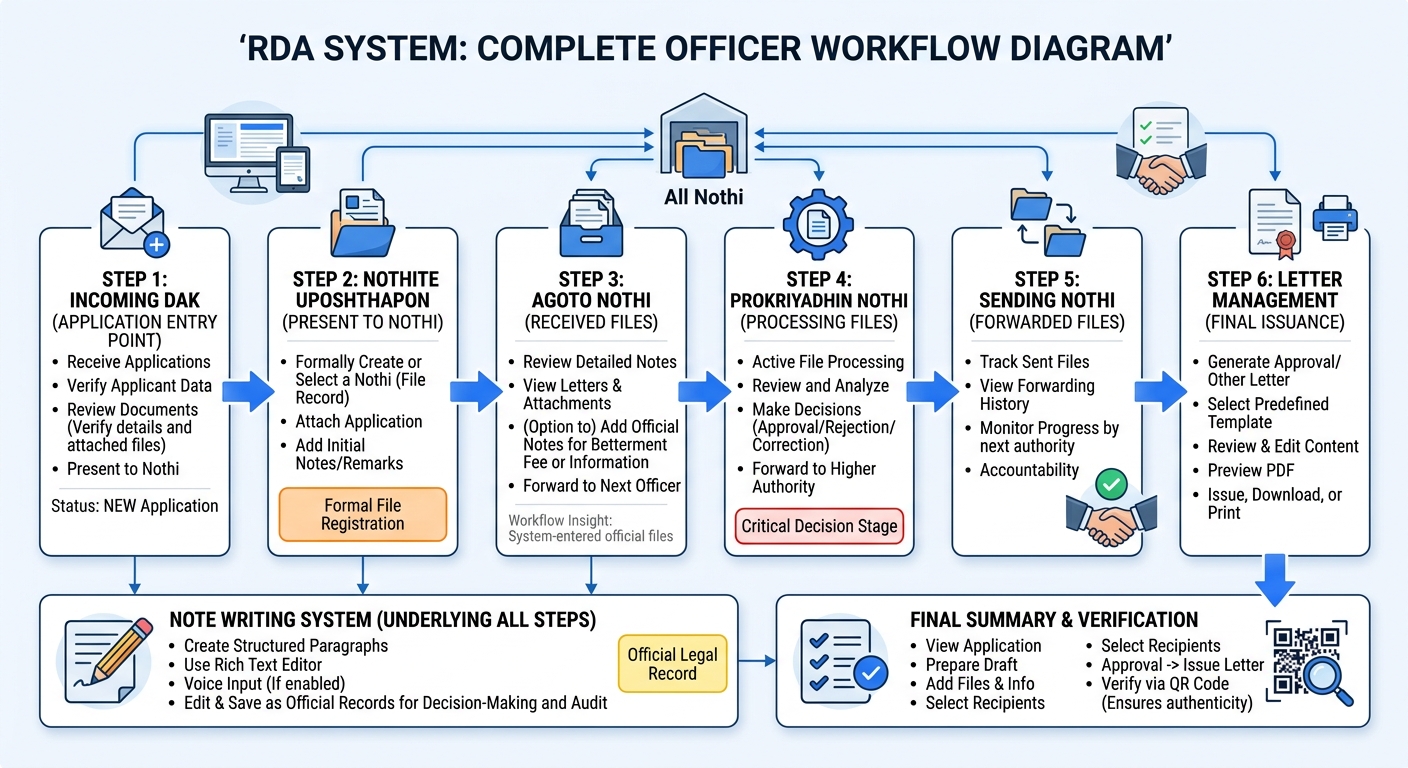
- How to verify and review incoming applications
- How to forward applications to appropriate officers
- How to create and manage official notes (Nothi processing)
- How to handle attachments and supporting documents
- How the approval chain works across multiple officers
- How to generate and issue final way of letters
Why This Matters:
A clear understanding of this workflow is essential for ensuring
timely processing, reducing errors, and maintaining a smooth
approval cycle. Each step is interconnected, and proper execution at
every stage directly impacts the final outcome.
Workflow Insight:
The officer workflow follows a logical sequence: This structured
flow ensures that every application is processed systematically,
with full visibility and accountability at each stage.
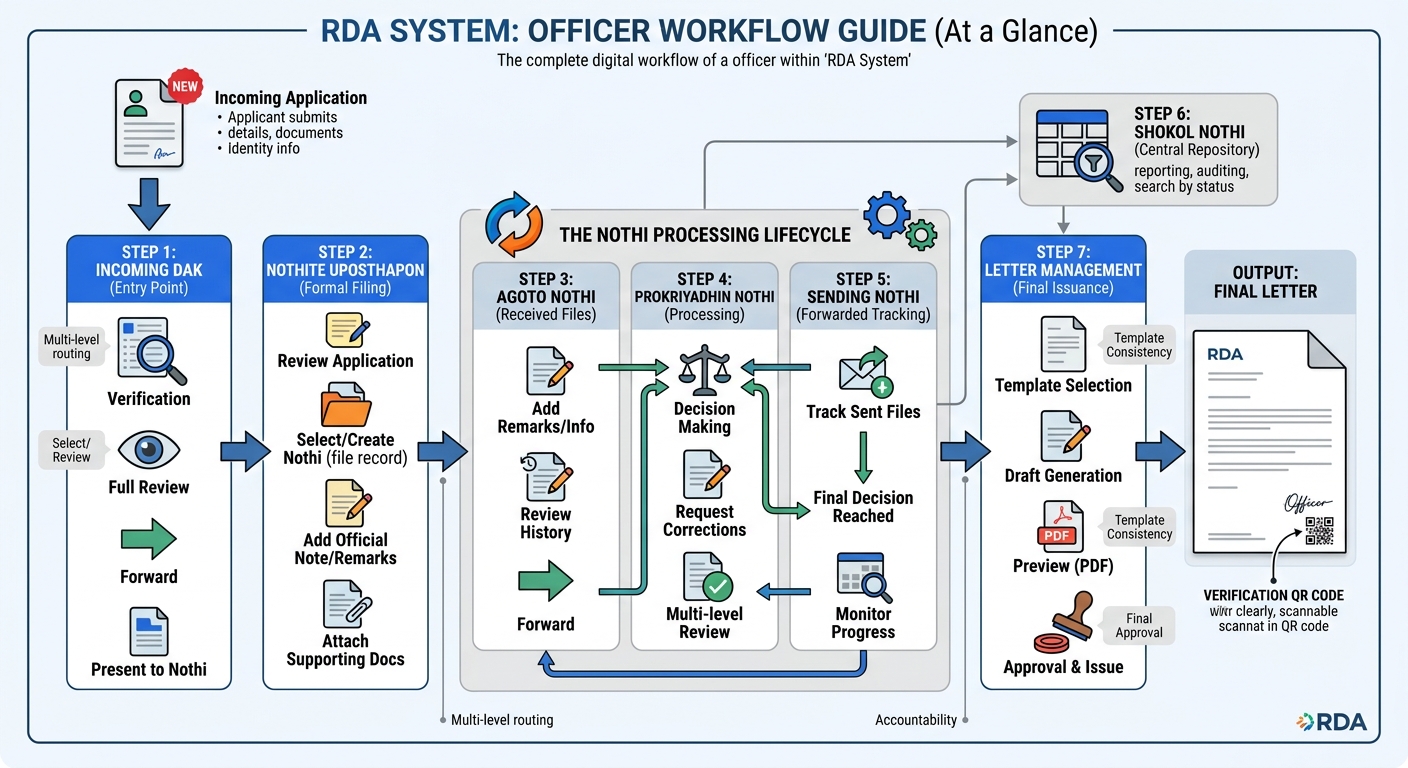
- Incoming Dak: Newly received applications from users
- Forwarded Applications: Sent cases to other officers or departments
- Nothi System: Official file processing module with notes & tracking
- Letter Management: Final approval and official document generation
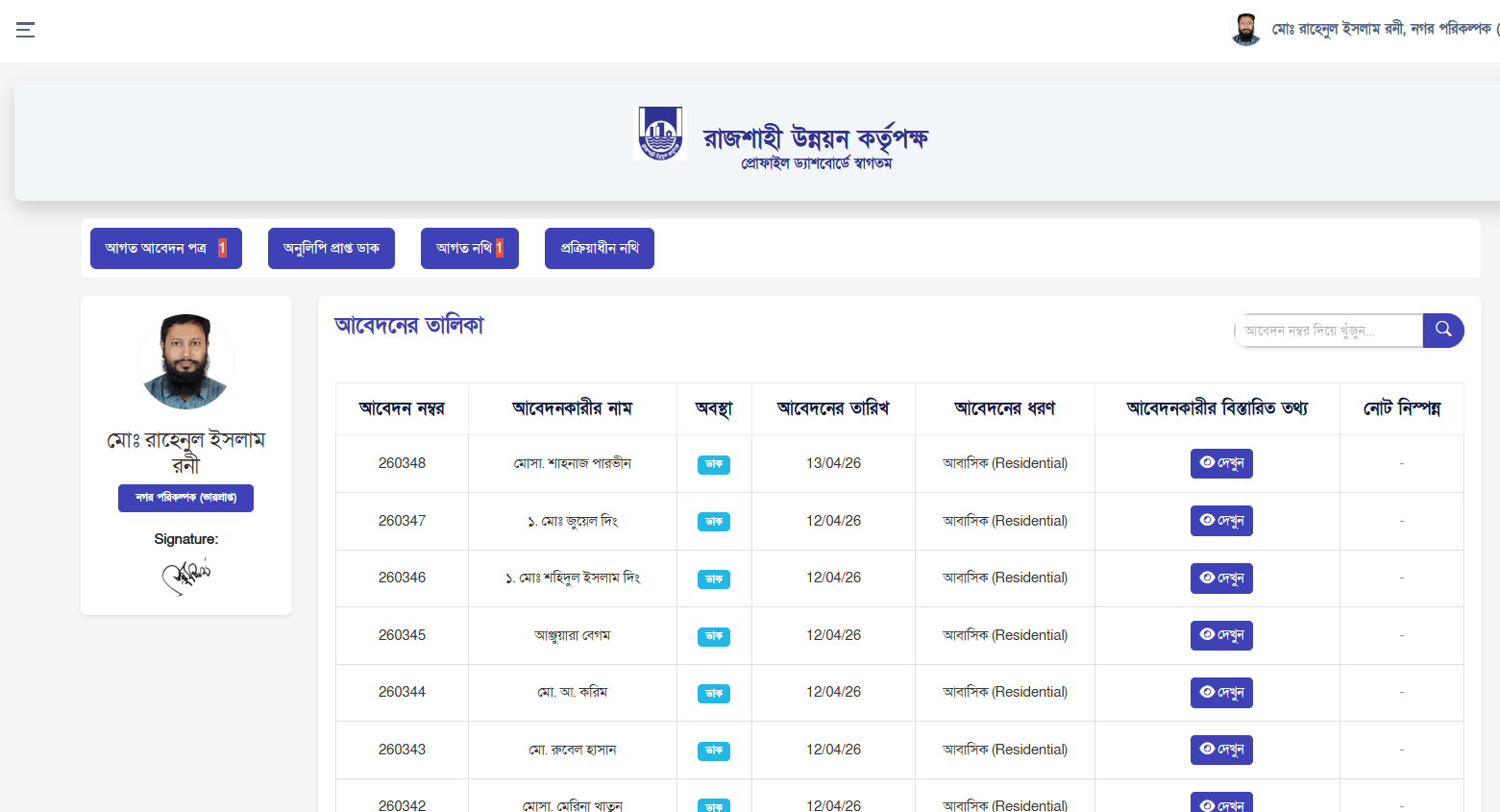
- All newly submitted applications first appear in the Incoming Dak module
- This is the initial entry point of the application workflow
- Officers must carefully verify applicant details information and documents
- Review attached files to ensure completeness and correctness
- Open and view full application details before taking any action
- Applications can be forwarded to another officer for further review or approval
- Option to directly present or move the application to Nothi (official file system) for formal processing
- Ensure no incomplete or incorrect application is forwarded without proper verification
Workflow Insight:
Incoming Dak is the starting point of the entire processing
lifecycle. Every application must pass through this stage before
entering the formal Nothi system. Proper verification at this step
is critical because it ensures data accuracy and prevents errors
in later stages. Once verified, the application is either
forwarded to another officer or converted into a Nothi for
structured file-based processing and tracking.
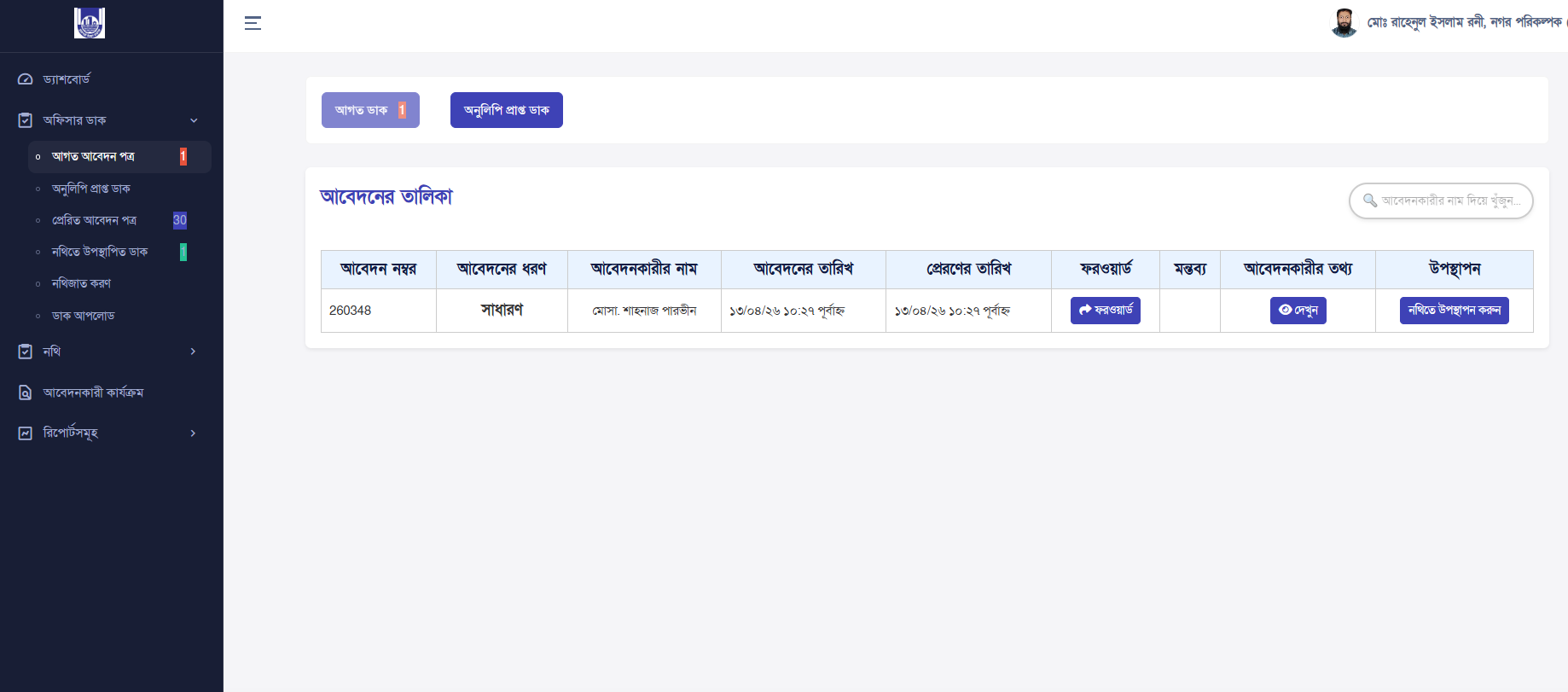
- Officer reviews the application from Incoming Dak
- Creates or selects an existing Nothi (file record)
- Attaches the application to the selected Nothi
- Adds official note or remarks regarding the application
- Includes supporting documents if necessary
- Forwards the Nothi to the next authority for review
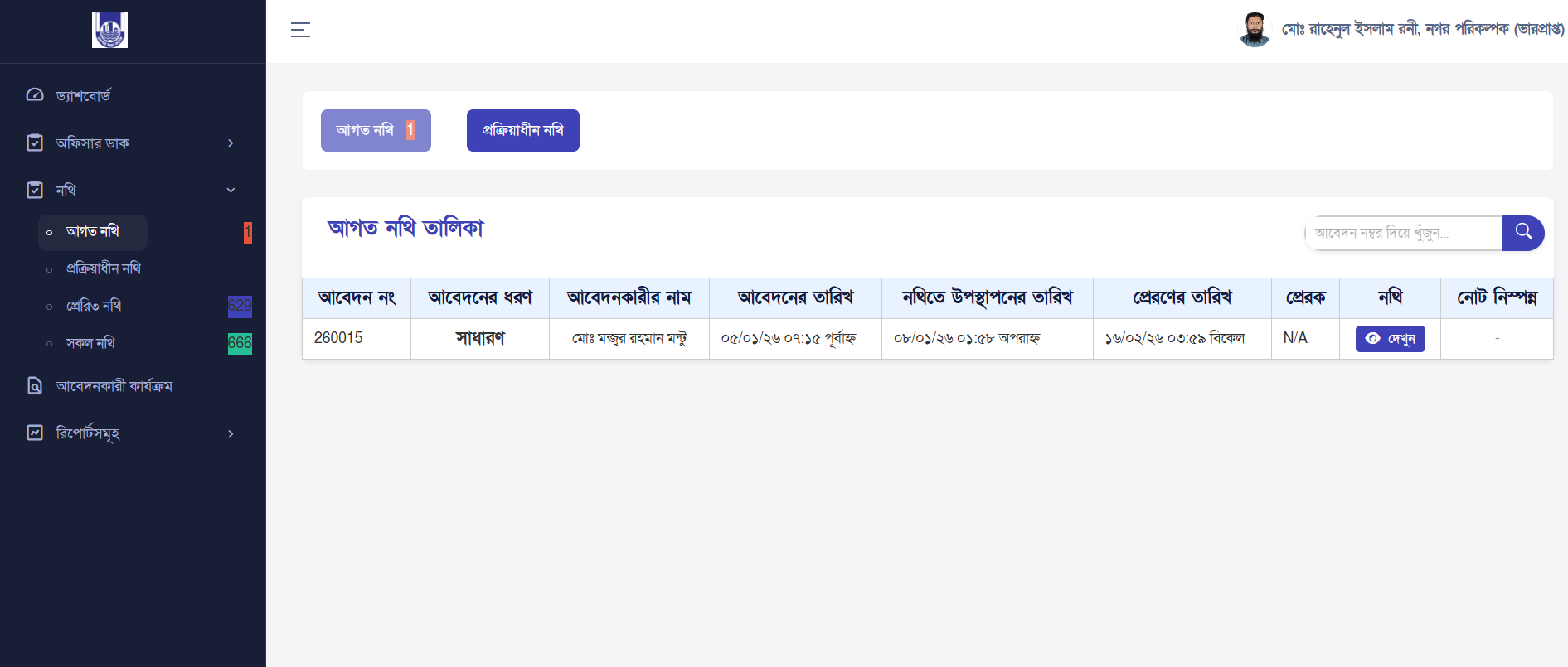
- All forwarded or converted applications appear in the Agoto Nothi module
- This section represents files that are officially entered into the Nothi note and letter management(file processing system)
- Officers can review detailed notes, attachments, letter, and previous forwarding history
- Add official notes or letter for betterment fee or any information remarks for further processing
- Forward the file to the next responsible officer or authority or applicant inform
- Ensure proper documentation before moving to the next stage
Workflow Insight:
Once an application is moved from Incoming Dak to Nothi, it
becomes part of the formal Nothi system. Every action (note,
forward, decision) is recorded here for transparency and tracking.
- Make decisions or request corrections in this section
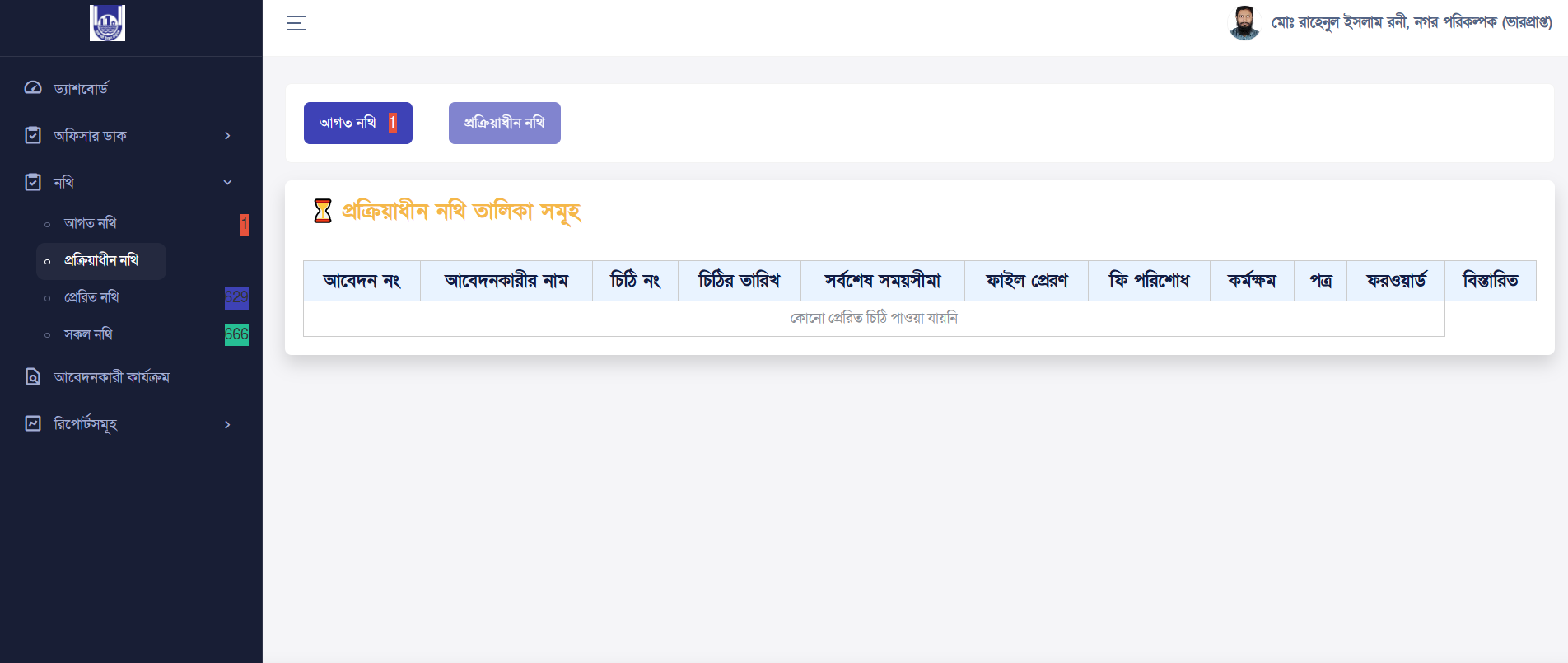
- This section contains Nothi that are currently under processing
- View all previous notes,letters, attachments, and other documents
- Forward files to higher authority or return for correction if needed
- Officers actively not work on these files by reviewing, analyzing
Workflow Insight:
This is the most critical stage of the workflow where decisions
are made. Files may move multiple times between officers until a
final decision is reached.
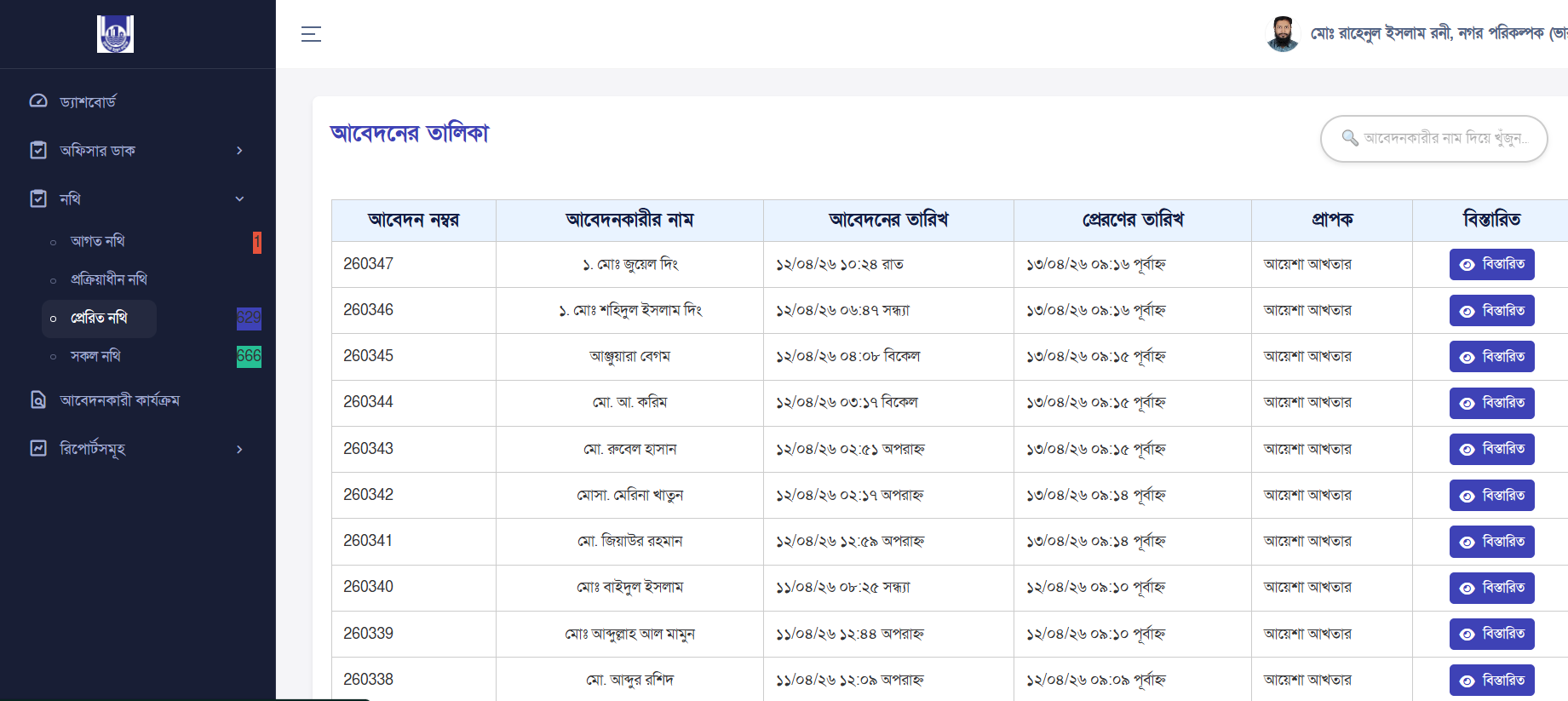
- Displays all files that have been forwarded by the current officer
- Helps track which files have been sent and to whom
- View forwarding history, notes, and attached documents
- Monitor progress of forwarded files in the workflow
- Useful for accountability and follow-up actions
Workflow Insight:
This module ensures transparency and traceability. Officers can
easily track their forwarded files and verify whether actions are
being taken by the next authority.
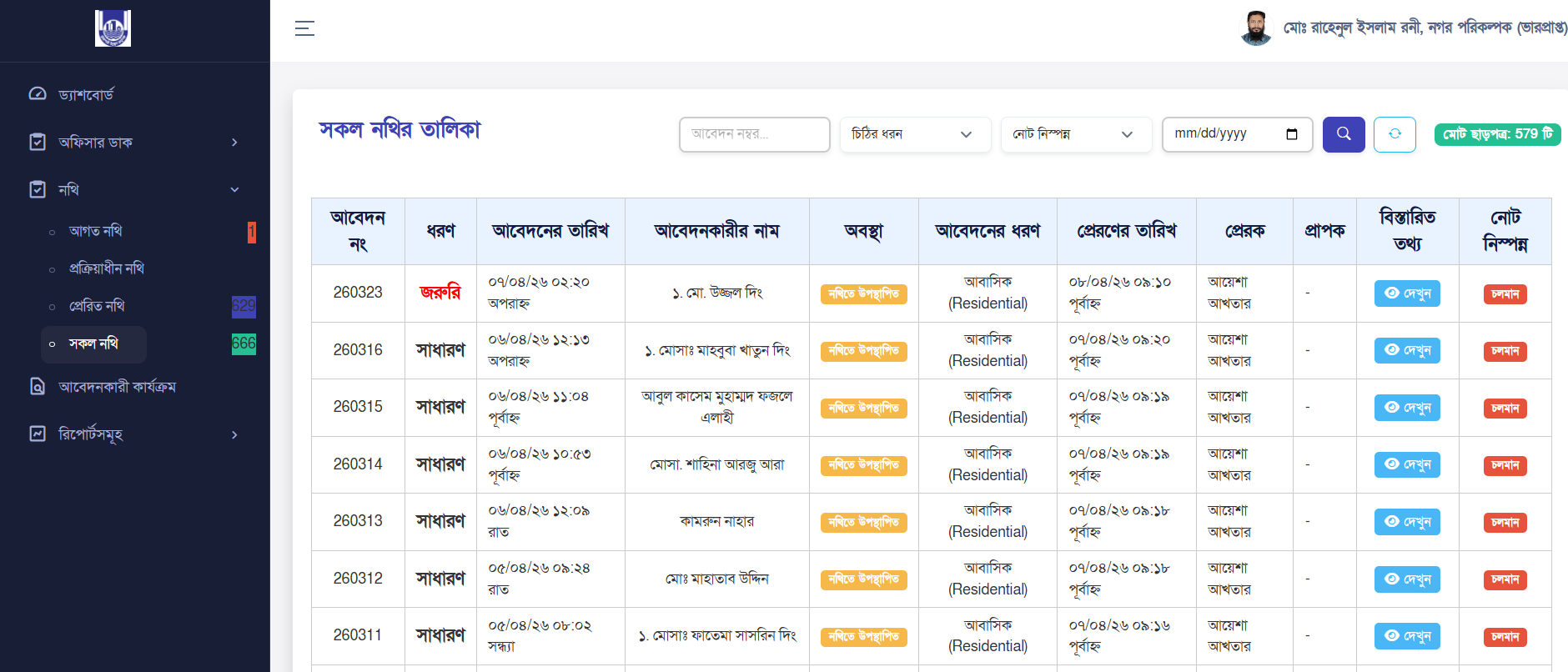
- Provides a complete list of all files in the system
- Includes incoming, processing, forwarded, and completed files
- Advanced filtering options to search by status, date, applicant, or file number
- View full history, notes, and document attachments
- Acts as a central repository for all Nothi records
Workflow Insight:
This section is essential for reporting, auditing, and overall
system monitoring. Developers and officers can use this to
understand the full lifecycle of any application.
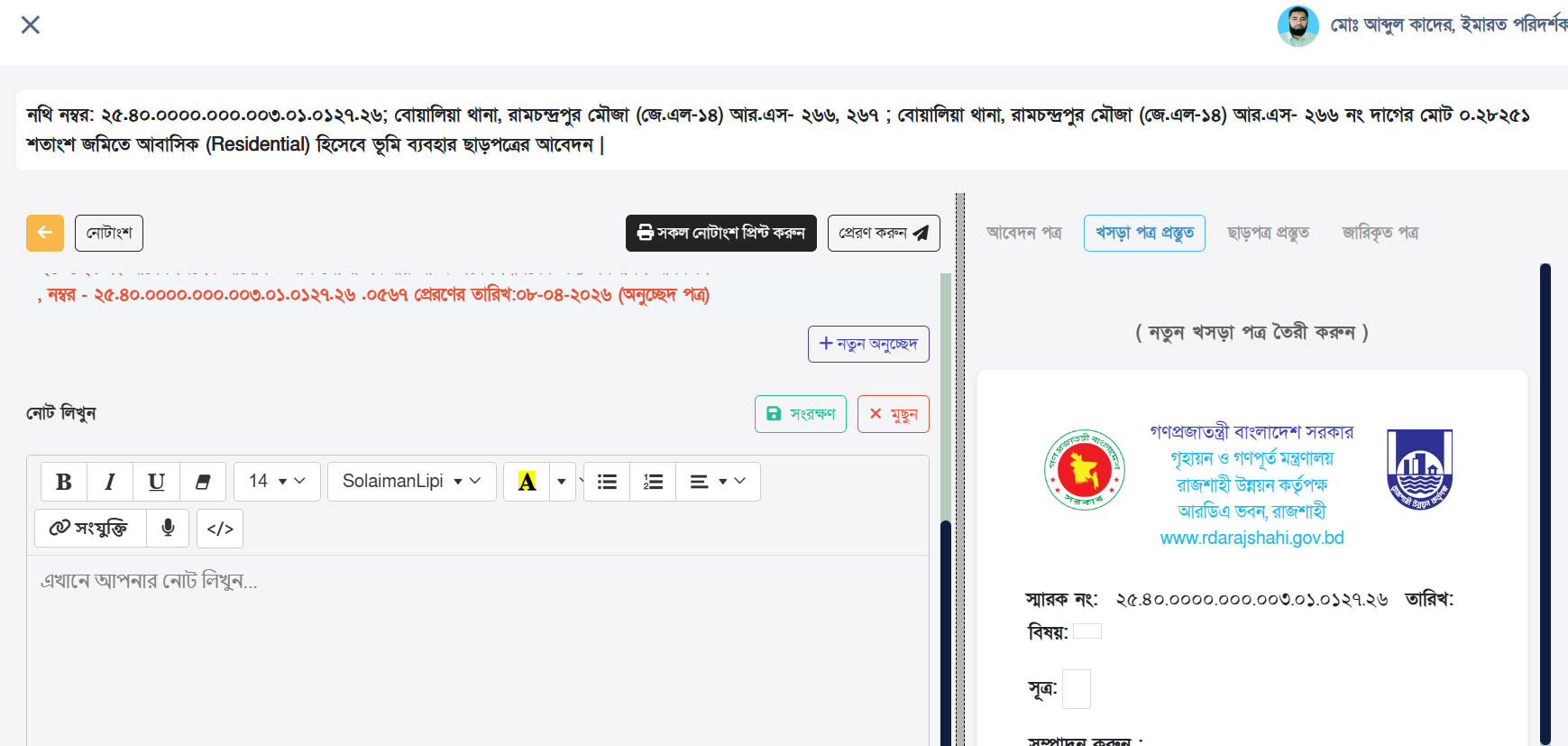
- Create structured note paragraphs for each stage of the application
- Write notes using the rich text editor with proper formatting
- Option to use voice input for faster note entry (if enabled)
- Edit or update previously written notes when necessary
- Save notes securely as part of the application record
- Clear or reset note content before saving if corrections are needed
- Ensure notes are clear, concise, and professionally written
Workflow Insight:
Notes are the backbone of the Nothi (file processing) system.
Every action taken by an officer should be properly documented
through notes. These notes serve as an official record for
decision-making, future reference, and audit purposes. When a file
is forwarded, the attached note helps the next officer understand
the context, analysis, and required action without re-evaluating
the entire application.
Best Practice:
Always write notes in a clear and structured manner. Avoid
incomplete or vague statements. Each note should reflect the
officer’s observation, recommendation, or decision to ensure
smooth workflow progression.
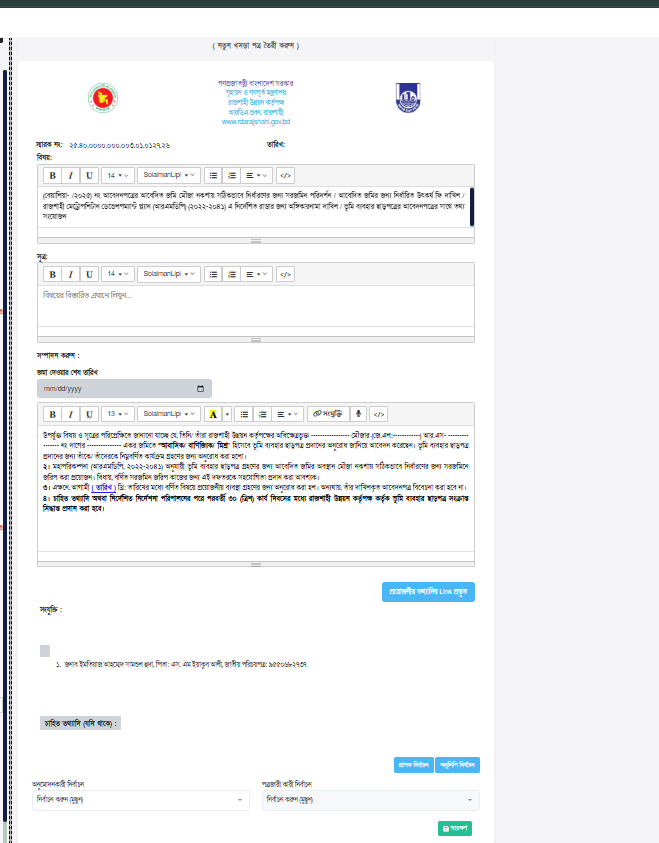
- Generate official letters after application in nothi uposthapon
- Select or use predefined letter templates for consistency
- Review and edit letter content before final issuance
- Attach supporting documents if required
- Preview letter in print-ready format (PDF)
- Issue, download, or print the final letter
- Maintain records of all issued, pending, and rejected letters
Workflow Insight:
Letter generation is the final stage of the workflow. Once an
application has passed through verification, note processing, and
approval stages, the system generates an official letter. This
letter acts as the final output of the entire process and must be
accurate, properly formatted, and officially approved before
issuance. Any mistake at this stage can directly impact the
applicant, so careful review is essential.
Key Responsibility:
Officers must ensure that all information in the letter matches
the approved application and notes. Proper validation, formatting,
and authorization are required before issuing the final document.
-
Step 1: View Application
Carefully review the complete application including applicant details information, uploaded documents, and previous notes. Ensure all required data is accurate and verified before proceeding to the next stage. -
Step 2: Prepare Draft Letter
Generate a draft letter based on the approved application data. Use predefined templates to maintain consistency and official formatting standards. -
Step 3: Add Files & Information
Attach any additional supporting documents if required. Ensure all relevant information, references, and approvals are properly included in the system. -
Step 4: Select Recipients
Choose the appropriate officer or departments to whom the letter will be forwarded for review, approval, or record purposes. Ensure correct routing to avoid delays. -
Step 5: Approval → Issue Letter
After final approval from the authorized or officer, issue the official letter. The system generates a finalized, print-ready version (PDF) for download and distribution. -
Step 6: Verify using QR Code
Each issued letter contains a unique QR code for verification. This allows users and authorities to validate the authenticity of the document digitally, ensuring transparency and security.
Workflow Insight:
This Final Summary represents the complete lifecycle of an
application—from initial submission to final letter issuance. The
process flows through multiple stages including Incoming Dak
verification, Nothi processing, note preparation, multi-level
approval, and finally official letter generation. Each step is
interconnected, ensuring accountability, transparency, and
accuracy throughout the system.
Key Considerations:
Officers must ensure that every step is completed with proper
verification and documentation. Any missing information, incorrect
data, or improper approval flow can delay or invalidate the final
output. The QR-based verification system further enhances trust
and prevents document forgery.